Build a workflow around your form data
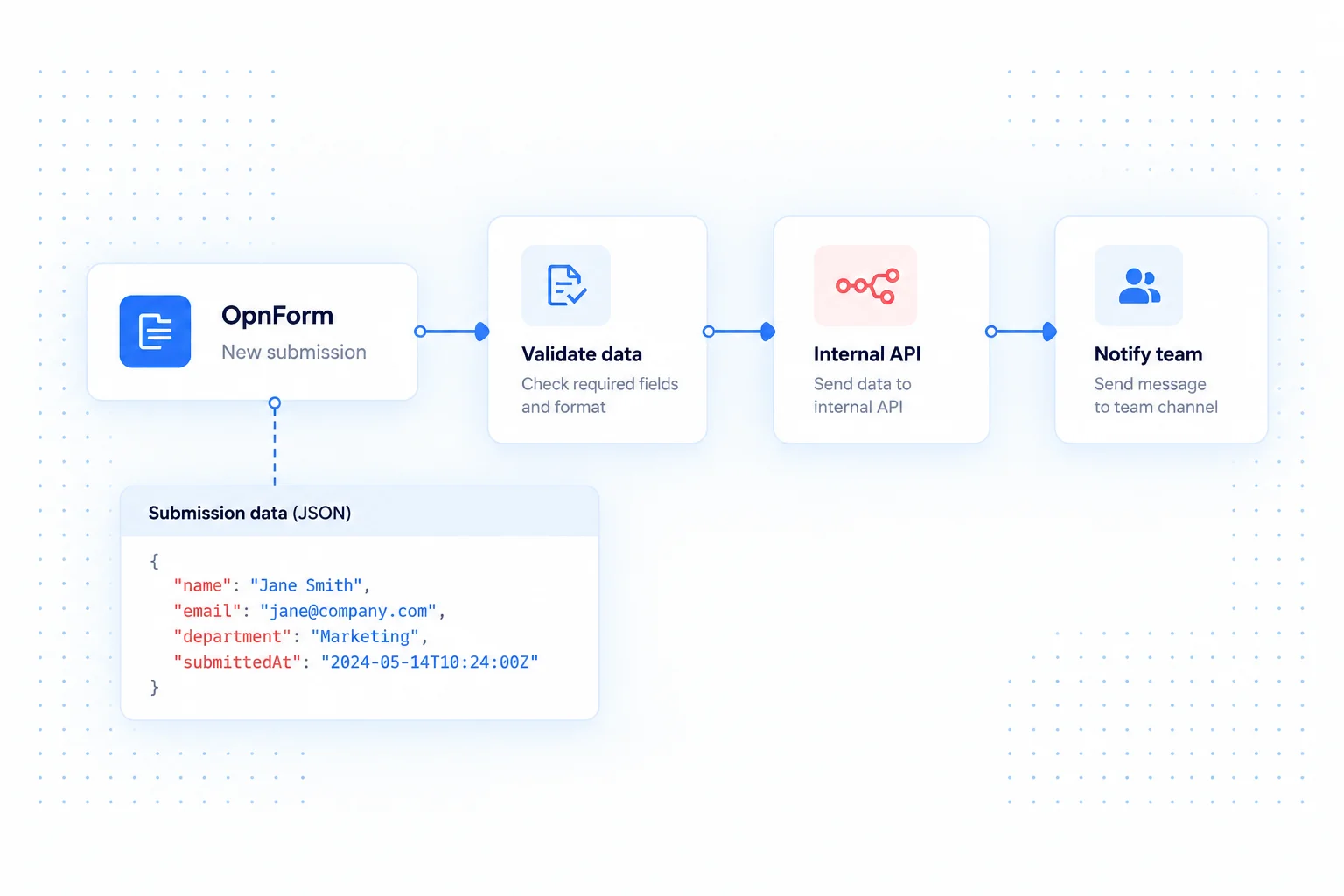
Use an OpnForm submission as the starting point for an n8n workflow. Combine a visual flow with your own processing steps when a response needs validation, enrichment, or delivery to an internal system.
This approach suits teams that want control over the work between the form and the destination. OpnForm collects the answers; n8n handles the automation you configure after the trigger.
n8n integration use cases
Prepare data for an internal API
Collect an onboarding request, check the required values in your workflow, and format the data for an internal endpoint. Keep application-specific validation in the workflow or receiving service.
Route different kinds of requests
Use a request category from the form to choose the next workflow branch. Sales inquiries might create CRM records while support questions become help desk requests.
Enrich a lead before follow-up
Use a submitted company identifier to look up an existing record in your own systems. Pass the resulting context to the next action rather than asking the respondent to supply it again.
Connect OpnForm to n8n
Start from the OpnForm integration in n8n.
- Open n8n's OpnForm Trigger integration and add the trigger to a workflow.
- Configure the connection and form selection using the node's instructions.
- Capture a sample submission, inspect its data, and connect the processing and destination nodes.
- Test each branch, then activate the workflow and monitor its executions.
Build a dependable workflow
Keep test and live destinations separate. Validate incoming values before calling internal APIs, and design record creation so repeating an execution does not create duplicate work. If you host n8n yourself, its trigger must be reachable by the service sending events. Actions, execution limits, and account requirements depend on your automation provider and its connected apps.
Common questions
Can I use a generic webhook instead?
Yes, a receiving webhook can be an alternative when it suits your n8n setup. Configure its URL in OpnForm's Webhook Notification integration and inspect the payload before mapping fields.
See webhooks for a direct endpoint connection, or Make for another visual automation approach.